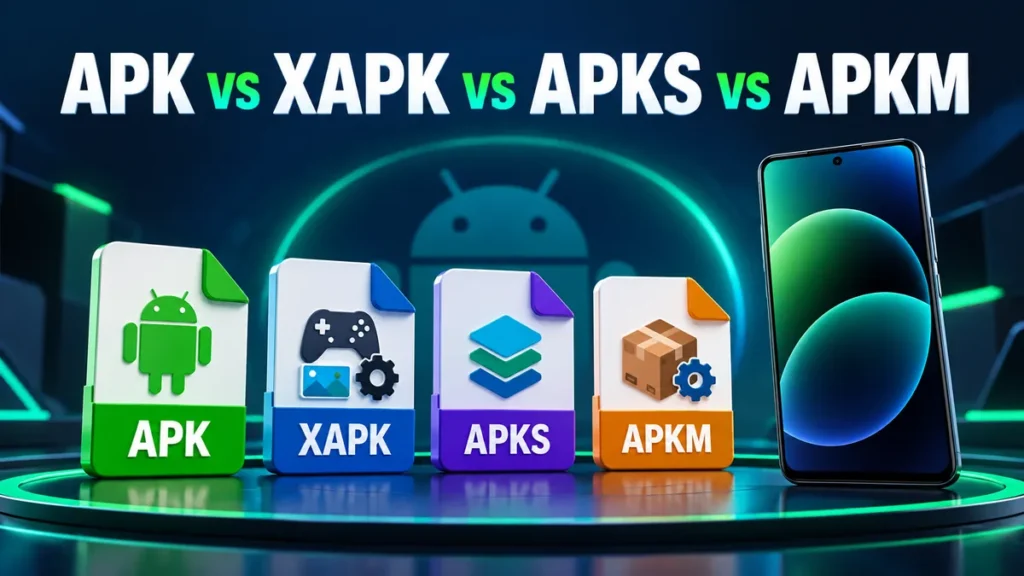
When you download Android apps outside the Play Store, you will meet more than one file type. A small app may come as a simple .apk, while a big game arrives as an .xapk, and another site offers an .apkm. They all install apps, but your phone handles them very differently. Here is what each format means and how to install it without errors.
APK: the standard Android package
An APK is a single file that contains everything the app needs: its code, images, sounds and the developer’s signature. Android installs it natively. Just tap the file, allow your browser or file manager to install apps, and press Install. If you are new to this, follow our step-by-step APK install guide.
Best for: most apps under a few hundred megabytes.
Split APKs: why one file is no longer enough
Since 2018, developers publish apps on Google Play as Android App Bundles. The Play Store then builds a set of smaller files for each phone: a base APK plus “split” APKs for your screen density, language and processor type. This makes downloads smaller, but it also means some apps no longer exist as one universal APK. To share such an app, the split files are packed together into one archive. That is where APKS and APKM come from.
APKS: a bundle of split APKs
An APKS file is a ZIP archive containing the base APK and its splits. Android cannot open it directly. You need an installer app.
- Install SAI (Split APKs Installer), an open-source installer.
- Open SAI and tap Install APKs.
- Choose the
.apksfile. SAI shows the parts it found. - Tap Install and confirm.
APKM: APKMirror’s bundle format
APKM is the same idea as APKS, used by APKMirror. Install it with the free APKMirror Installer app, or with SAI, which can also read most APKM files.
XAPK: APK plus extra data
XAPK is a ZIP archive used by some download sites. It contains either split APKs or a normal APK plus an OBB file, which holds a game’s large data (maps, textures, sounds). You can install an XAPK in two ways.
Option 1: with an installer app
Installer apps that support XAPK unpack the file and install everything automatically, including copying the OBB data to the right folder.
Option 2: manually
- Rename the file from
game.xapktogame.zip. - Extract it with your file manager.
- Install the
.apkfile inside. - If there is an
Android/obb/<package.name>folder, copy it to Internal storage > Android > obb. - Open the game. It should start without downloading the data again.
On Android 11 and newer, many file managers cannot write into Android/obb. Use the Files by Google app, or let an XAPK installer do it for you.
Quick comparison
| Format | What it contains | How to install |
|---|---|---|
| APK | One complete app | Tap it (built into Android) |
| APKS | Base APK + split APKs | SAI |
| APKM | Base APK + split APKs | APKMirror Installer or SAI |
| XAPK | APK or split APKs, often with OBB data | XAPK installer, or extract manually |
Which format should you download?
- Choose a plain APK whenever it is available. It is the simplest and works with every phone.
- Choose a bundle (APKS / APKM / XAPK) when the app is only distributed as split files, which is common for Google apps and large games.
- For games with heavy graphics, an XAPK with OBB data saves you from a second large download inside the game.
Common errors with bundles
- “App not installed” after installing only the base APK: the app needs its split files. Install the whole bundle with SAI.
- Game keeps downloading data: the OBB folder is in the wrong place or has the wrong name. It must match the package name exactly.
- Installer says “incompatible”: the bundle was made for another processor type. Download the variant for your phone (arm64-v8a for most modern phones).
Frequently asked questions
Is an XAPK safe?
An XAPK is just a ZIP file. It is as safe as the APK inside it. Download from sources you trust and scan unknown files.
Can I convert XAPK to APK?
Only if it contains a single complete APK, which you can extract. Split APKs cannot be merged into one APK without developer tools.
Do I need root to install split APKs?
No. SAI and similar installers use Android’s normal session installer, which works without root.
No Comments
Comment on